sorted.

An iPhone app that keeps track of every piece your kids own, by child, size, and season. So you always know what fits, what’s coming up next, and where every outgrown piece ended up.

Personal projectiOSSwiftUI0 → 1UXDesign system
The origin

it usually starts as a spreadsheet

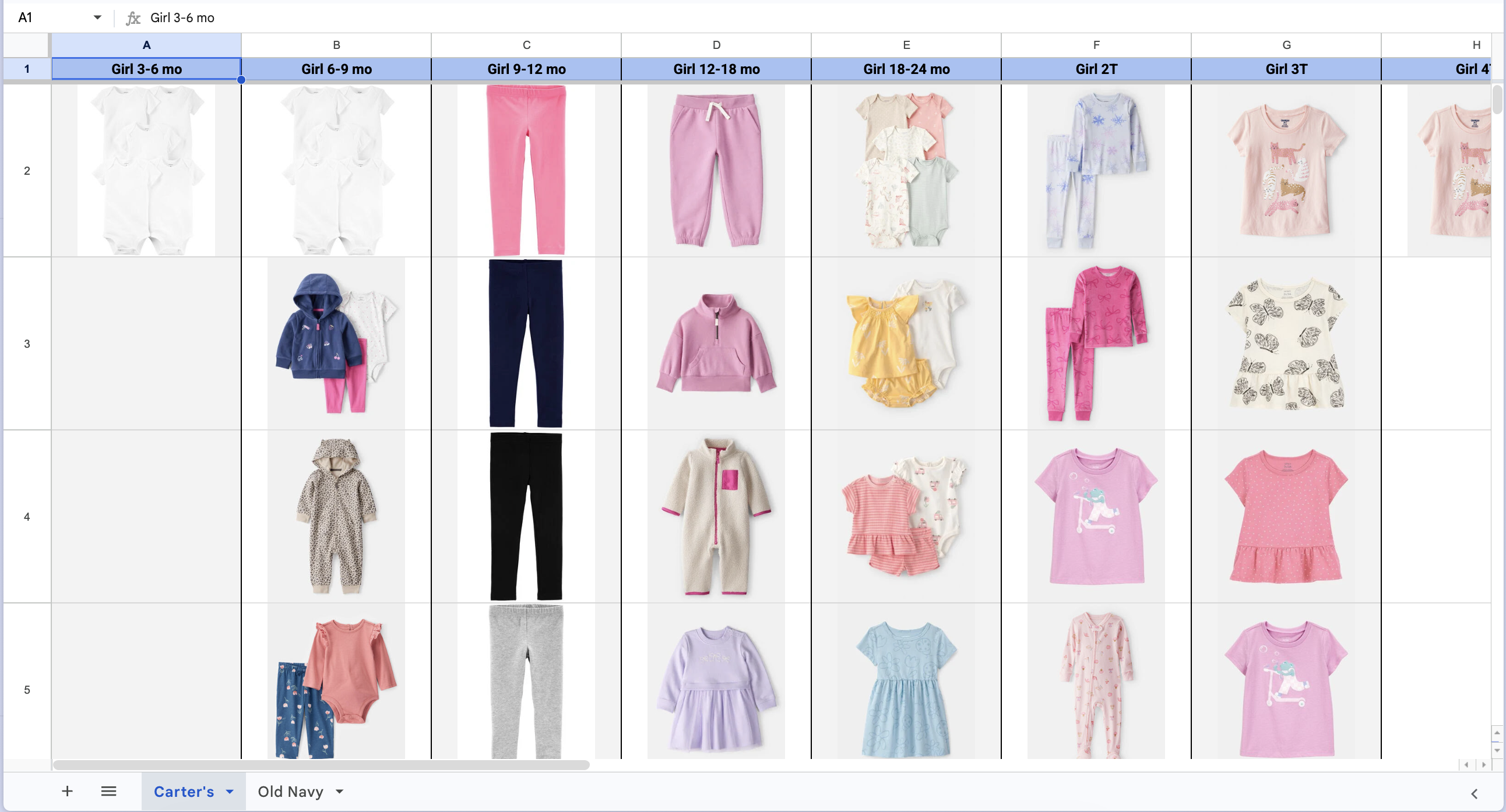
Before Sorted, the fix was a spreadsheet. I kept hearing the same setup from people: a column for every size, a tab per store, a photo pasted into every cell, because you need to see what you already own, not read “black leggings, blue shirt.” But a spreadsheet isn’t accurate, it isn’t organized, and it was never built for this. Stuff slips through, and you end up buying the same thing twice.
docs.google.com · clothing inventory
A tracking spreadsheet, product photos pasted by size and store
Before: sizes across the top, a tab per store, a product photo in every cell
The visual fix

see what you own, not a list of words
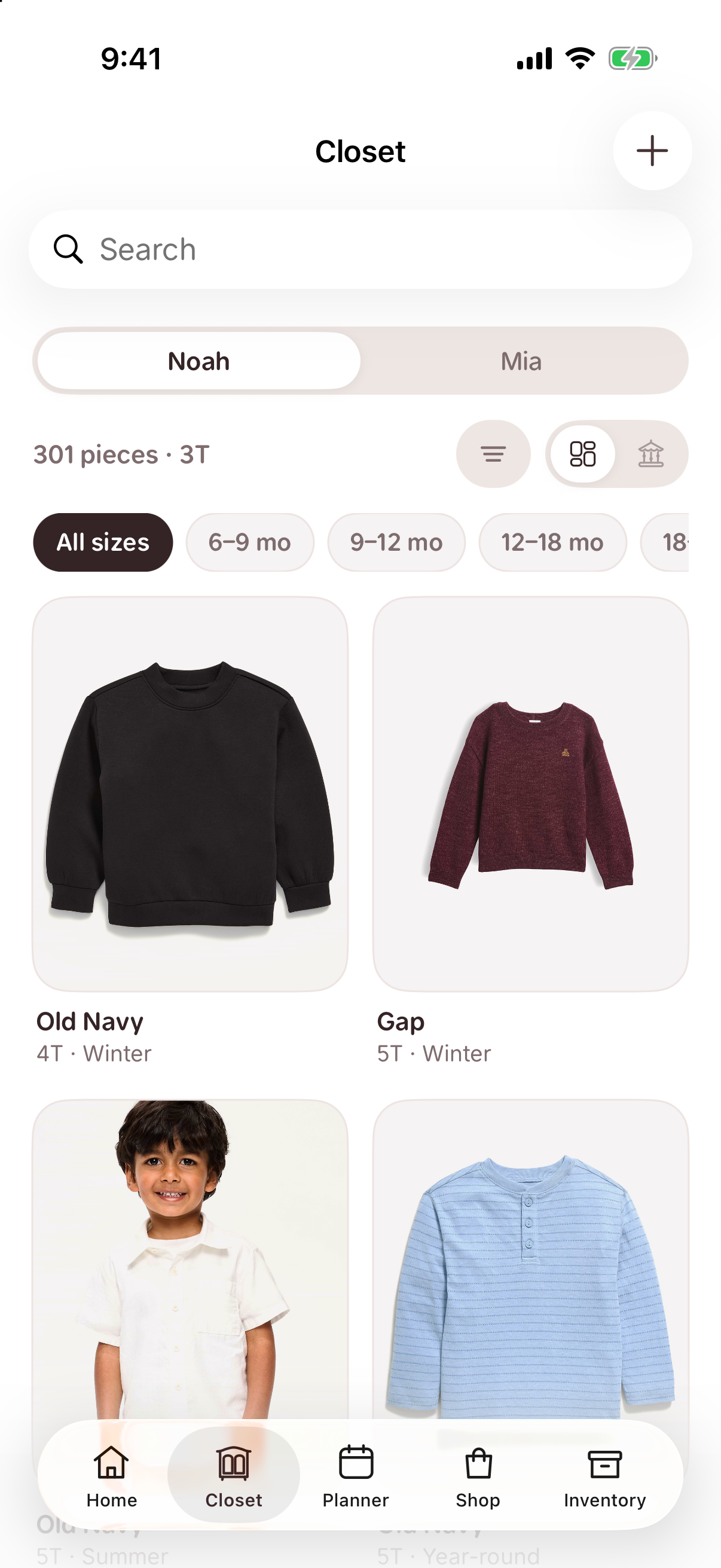
That spreadsheet was really trying to be a visual closet, so that’s what Sorted leads with. Every piece a kid owns, laid out as a photo grid, one kid at a time. Filter to 4T and Winter, and the gaps jump out, the one thing a grid of pasted cells could never really do.
Sorted closet: a photo grid of one child's clothes, filtered by size
Closet: every piece as a photo, filtered by size, season & type
The edge

let the closet fill itself

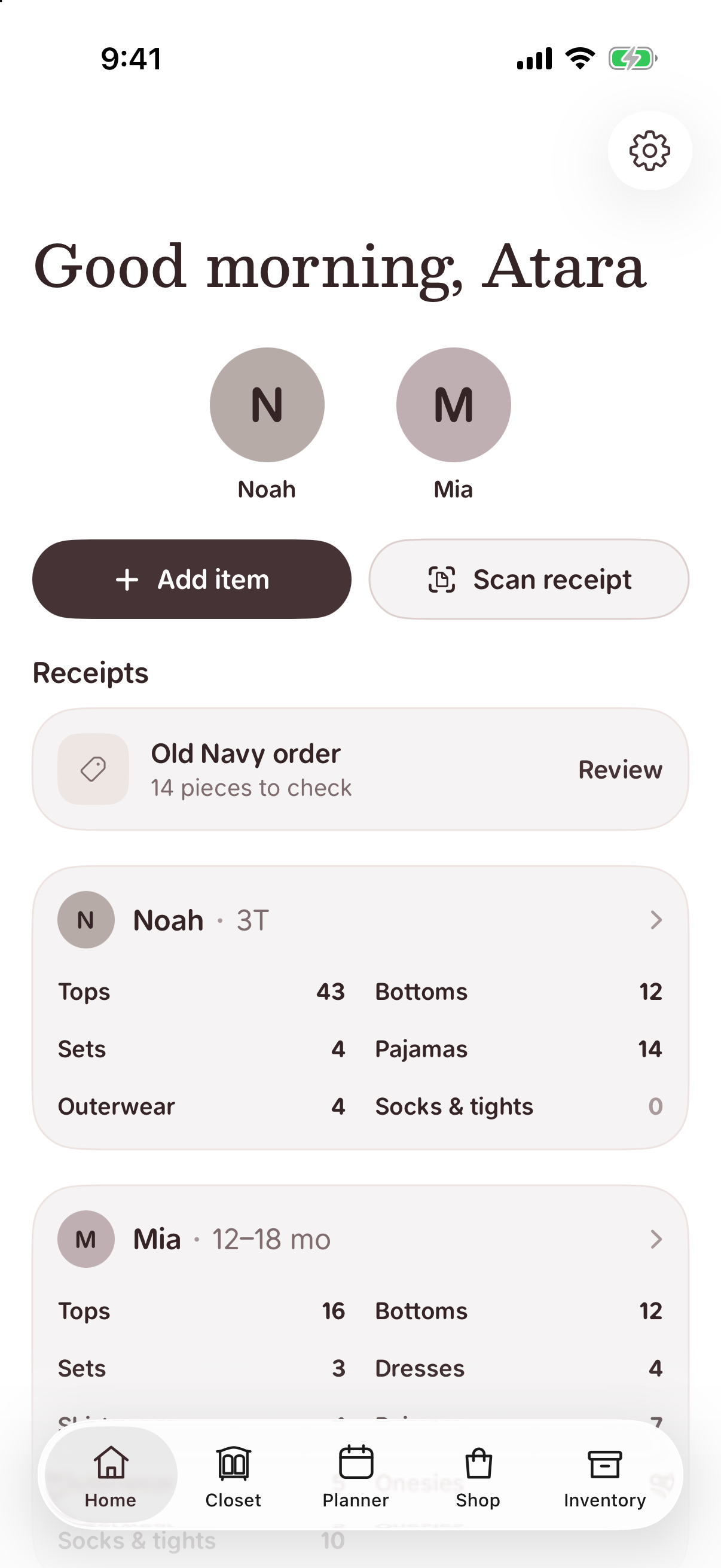
Filling a closet by hand is the part nobody keeps up with, so Sorted does it for you. Scan a paper receipt, paste an order email, or forward one in, and it reads each piece (name, size, what you paid) and picks the kid it fits. Anything it isn’t sure about waits on Home for a one-tap “which kid?”. You can still add things by hand, but the software does the typing.
Sorted home: both kids, a receipt waiting for review, and what each kid has by type
Home: new orders wait here for a quick check before they hit the closet
The planner

plan the next size, by season

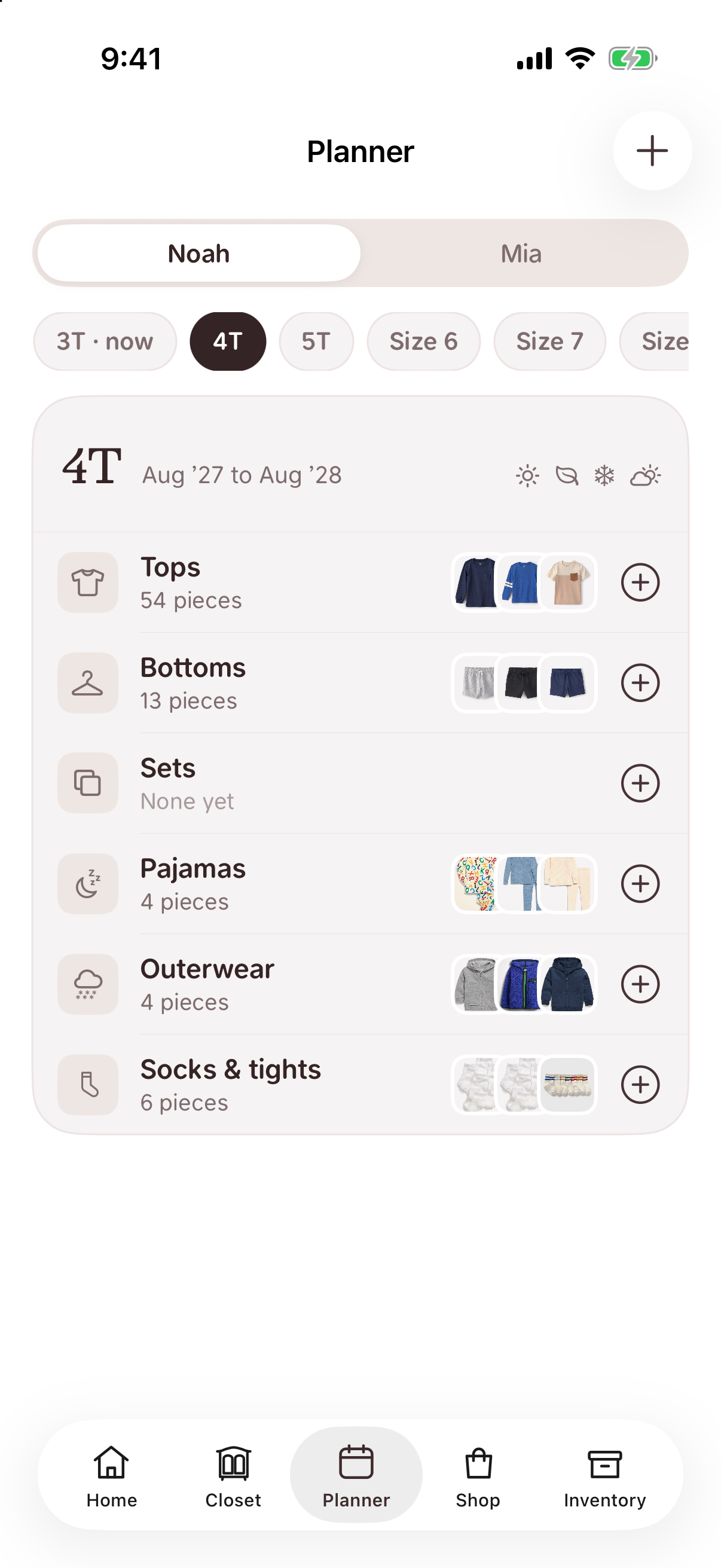
The planner is the heart of Sorted. It maps each upcoming size to when the kid will actually wear it (4T runs Aug ’27 to Aug ’28), and shows what’s already waiting in each type. That’s the exact list you shop the off-season sales against.
Sorted planner: the next size, when it'll be worn, and what's already bought
Planner: each size mapped to the months and seasons it'll be worn
The after-life

every piece, accounted for

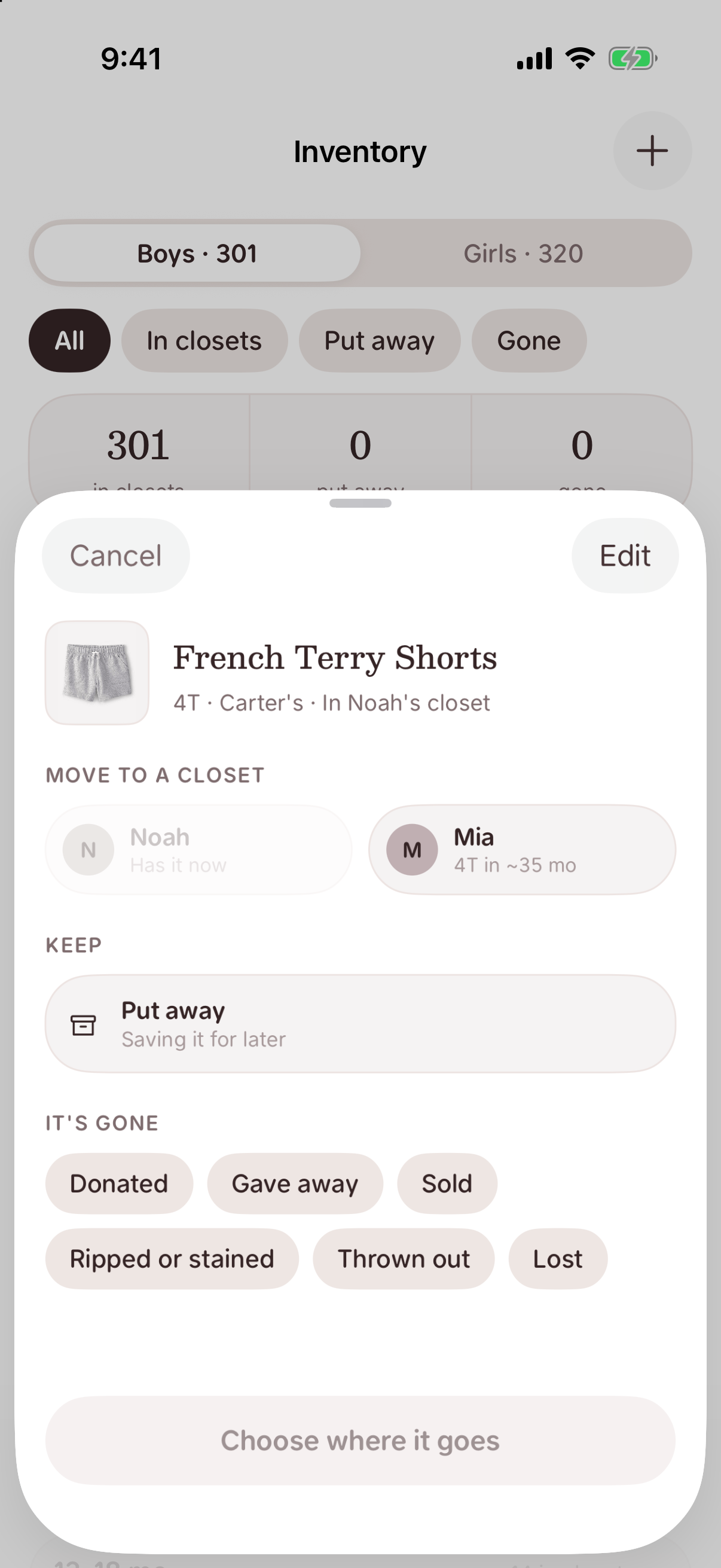
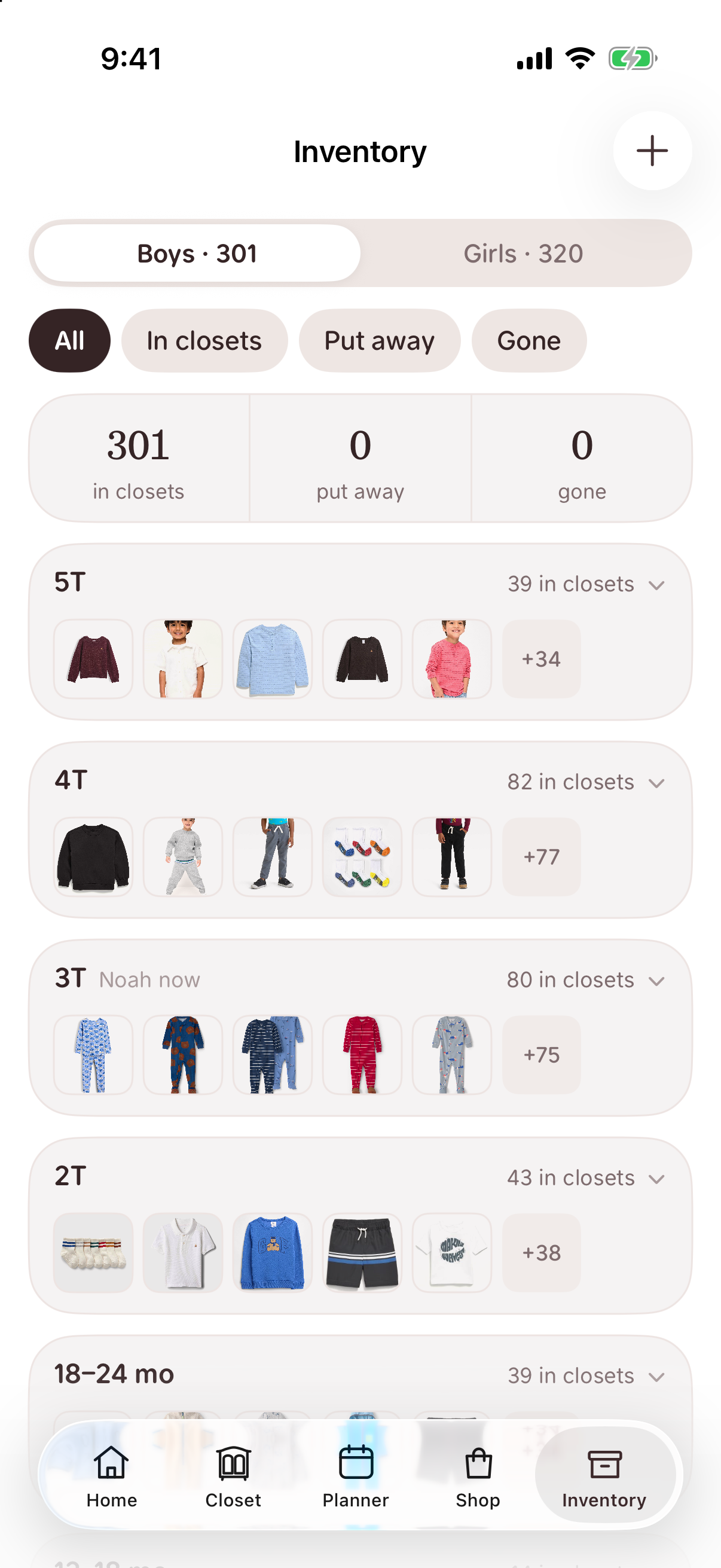
Outgrown doesn’t always mean “goes to the next kid”, especially between a brother and a sister. Inventory holds everything the family owns, boys and girls, size by size. Each piece can go to any kid’s closet, get put away for later, or be marked donated, sold or ripped, so the totals always tell the truth about what you’ve got.
Sorted inventory: moving a piece to a sibling's closet, putting it away, or marking it gone
Inventory: move a piece to any kid, put it away, or mark it gone and why
The business

the buy-ahead list is the business model

Sorted already does the one thing retailers pay for: it tells a parent exactly what to buy, in what size, and when. That intent is the whole asset. So the core app stays free, and the money rides the purchase the planner was already pointing at.

Affiliate commissions

The core engine. When the planner says “4T bottoms, 2 to go” and the sale is live, that buy button is an affiliate link. Sorted takes a cut (usually 1 to 10%) of every checkout it sends, right at the moment of highest intent.

Retailer placements

The shop list is inventory. Brands already fight for the off-season shopper. A spot on the Shop tab is something a retailer can pay for, but it still has to fit the kid’s next size to earn the tap.

Sorted+ subscription

Keep the core free. Tracking stays free so the affiliate funnel keeps growing. The power features (unlimited kids, automatic receipt import, price-drop alerts, sharing with other caregivers) sit behind a cheap monthly Sorted+.

Where it landed

from a spreadsheet to a real app

What started as pasted cells is a native iPhone app now, built in SwiftUI and running on our family’s phones with every order from the past year in it. I kept it calm on purpose: warm oat neutrals, one peach accent, thin rounded line icons and Besley for the headings. Next up is the App Store.
Sorted inventory: every boys' piece grouped by size
A real SwiftUI app on our family's phones, with hundreds of pieces in it