Mystic app icon, a gradient ring on oat

mystic.

A home for all of my recipes. In photo gallery form, they’re organized, nice to look at and easy to find. And a place to plan the week’s dinners, too.

Personal projectiOSSwiftUIOn-device AIXcodeClaude Code

Why I built it

My recipes were all over the place. Some were screenshots in my camera roll, some were saved on Instagram or TikTok, and some were PDFs on my desktop. None of them were easy to cook from, and planning a week of dinners meant digging through all of it. Honestly, the sheer number of recipes I’d saved had gotten overwhelming, and I wanted one place to keep them.
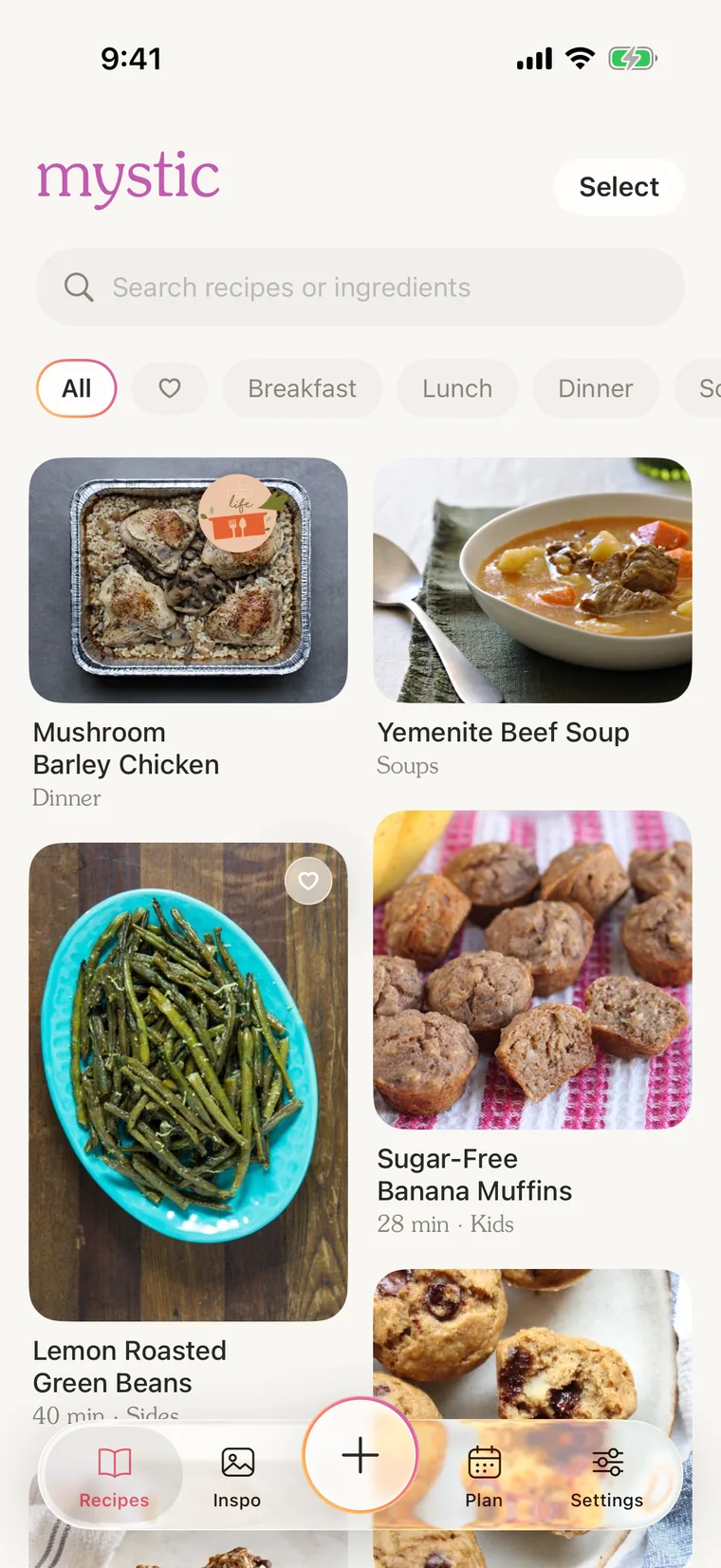
Mystic recipes screen: a two-column grid of recipe cards with photos
My recipes, in a Pinterest-style grid

Importing recipes

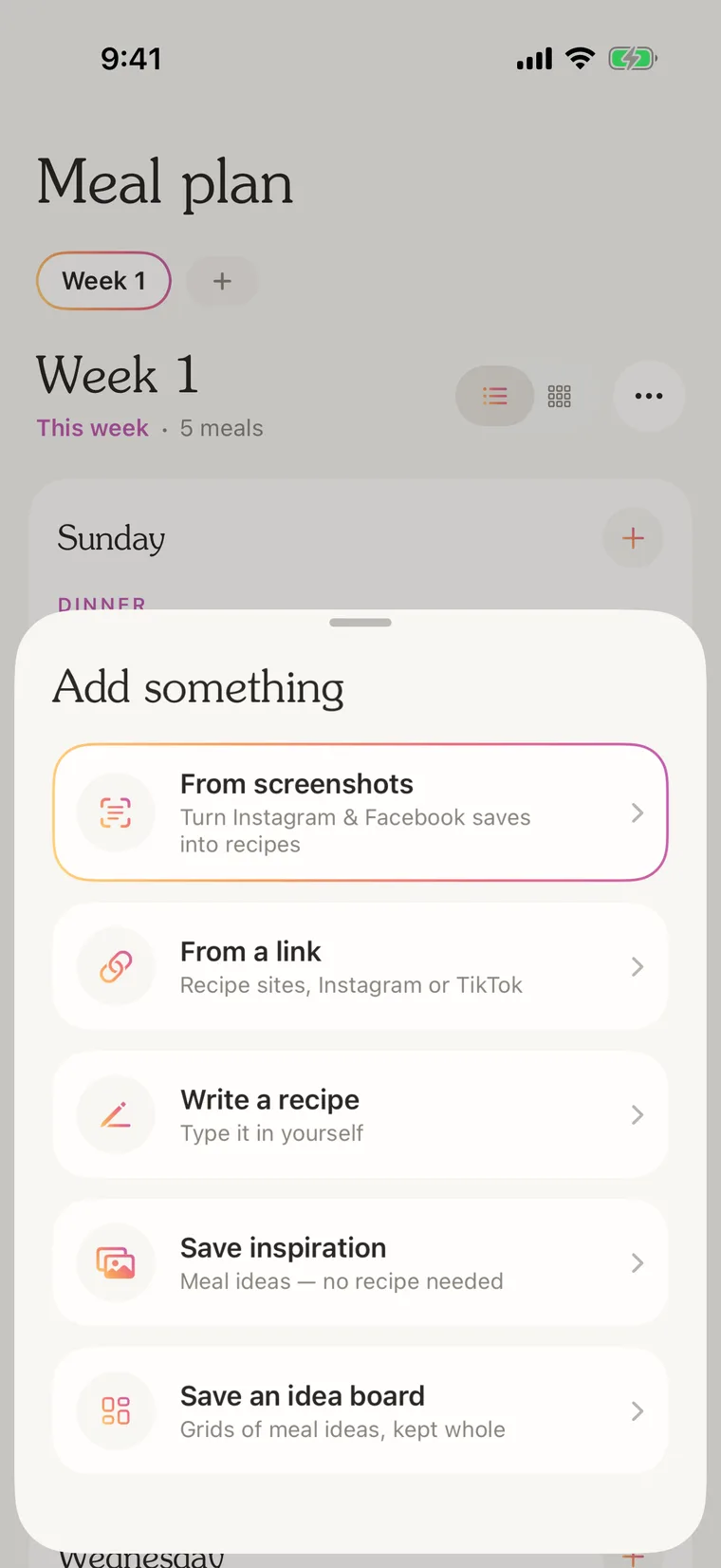
I pick a few screenshots and Mystic reads them right on my phone. It pulls out the title, ingredients and steps, ignores the likes and comments around the caption, and even finds the food photo in an Instagram screenshot to use as the cover. Pasting a link works too, whether it’s a recipe blog or an Instagram or TikTok post. Some things I save aren’t really recipes, like a post with “9 healthy toasts.” Those stay together as an idea board, and I can pull any idea from it into the meal plan.
Mystic add sheet: from screenshots, from a link, write a recipe, save inspiration, save an idea board
Everything I can add, in one place

Servings and units

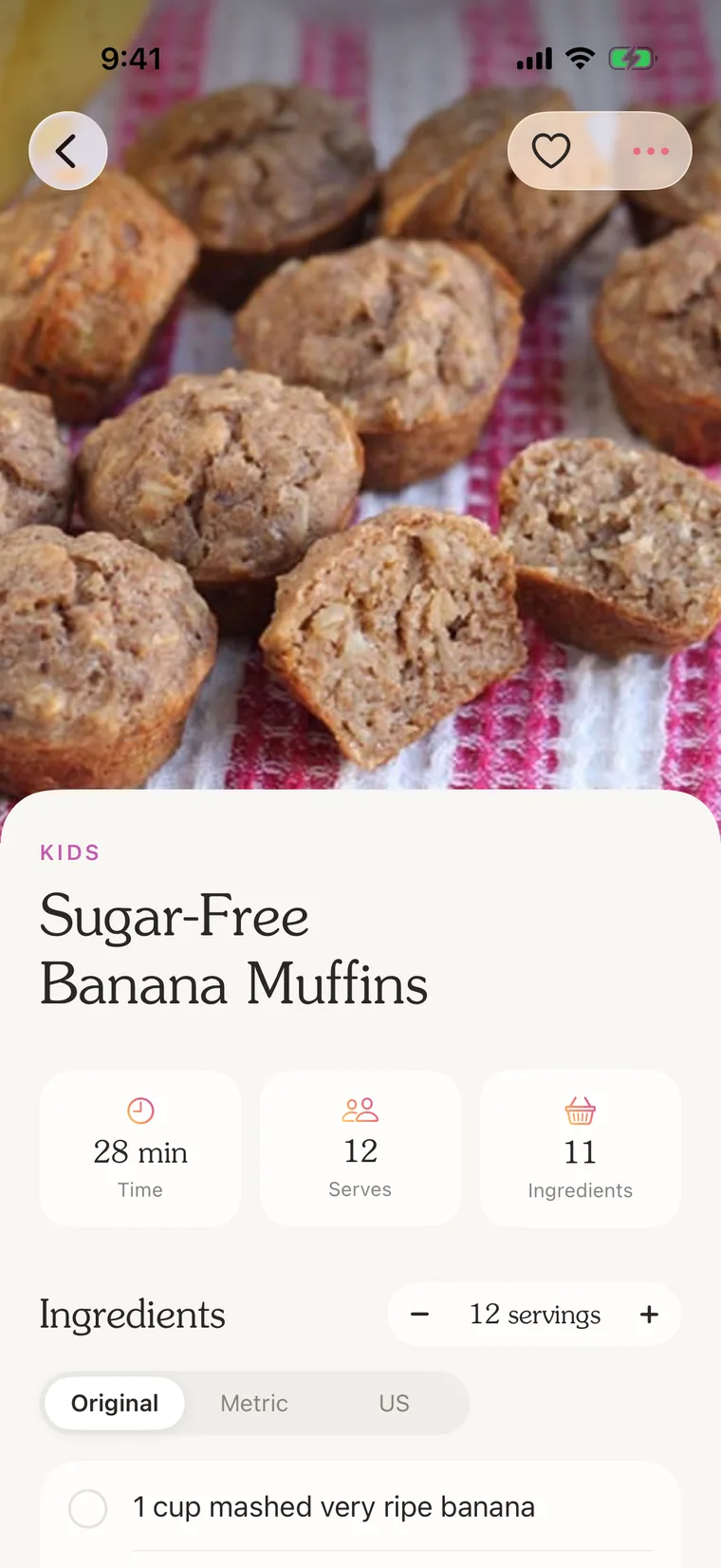
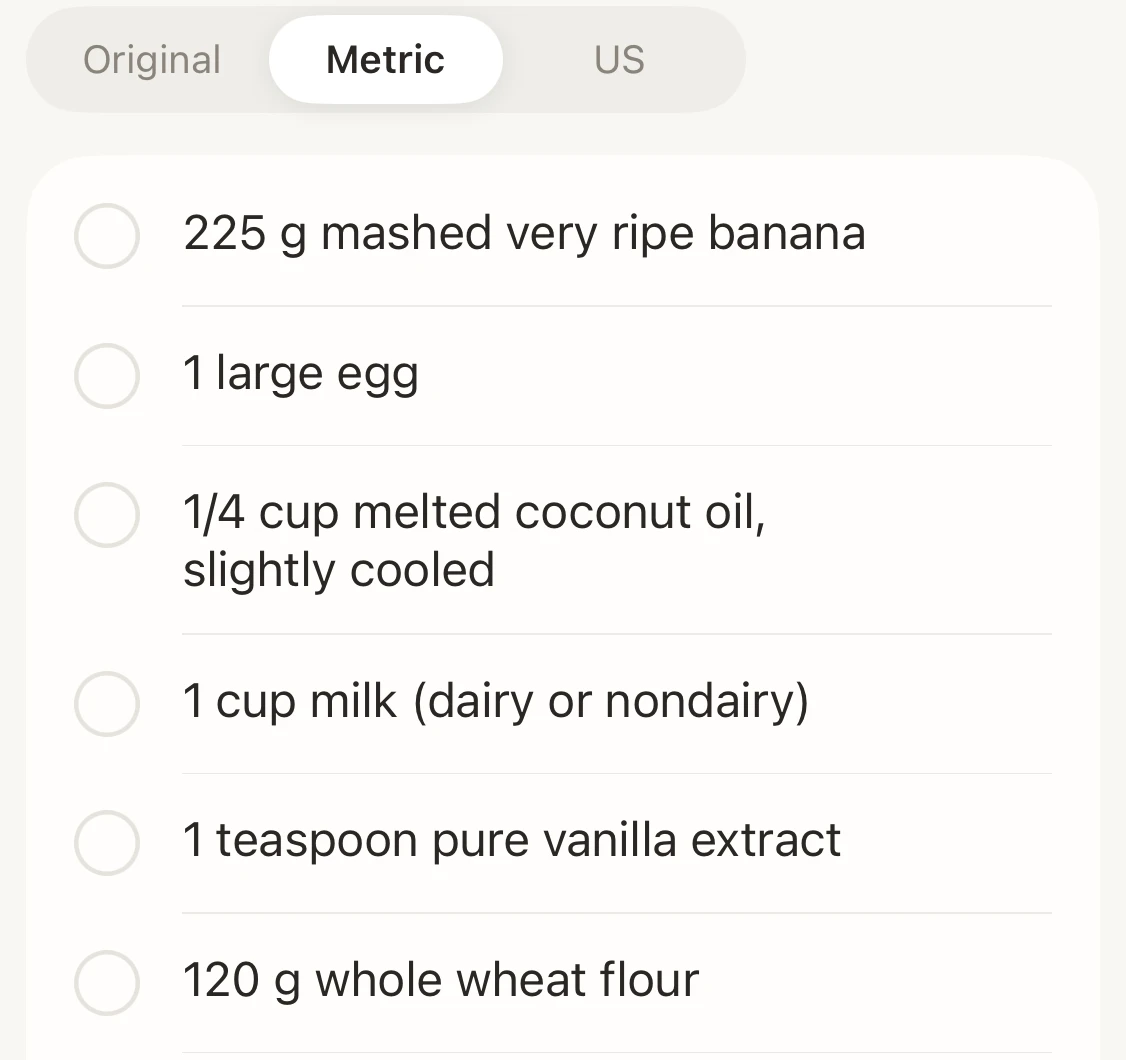
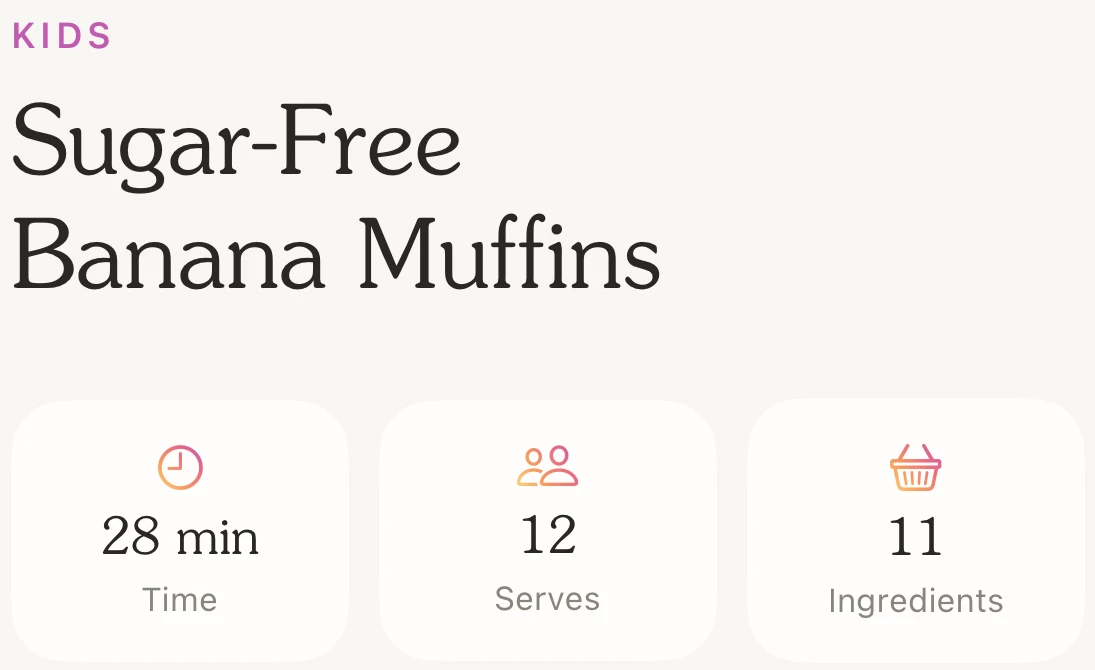
I can change the number of servings on any recipe, and switch between the original amounts, metric and US. Metric works the way I cook at home. Flour and sugar turn into grams, but milk stays in cups and teaspoons stay teaspoons. I tick off ingredients as I go.
Mystic recipe page: Sugar-Free Banana Muffins with time, servings and ingredients
Servings and units, right above the ingredients

Cook mode

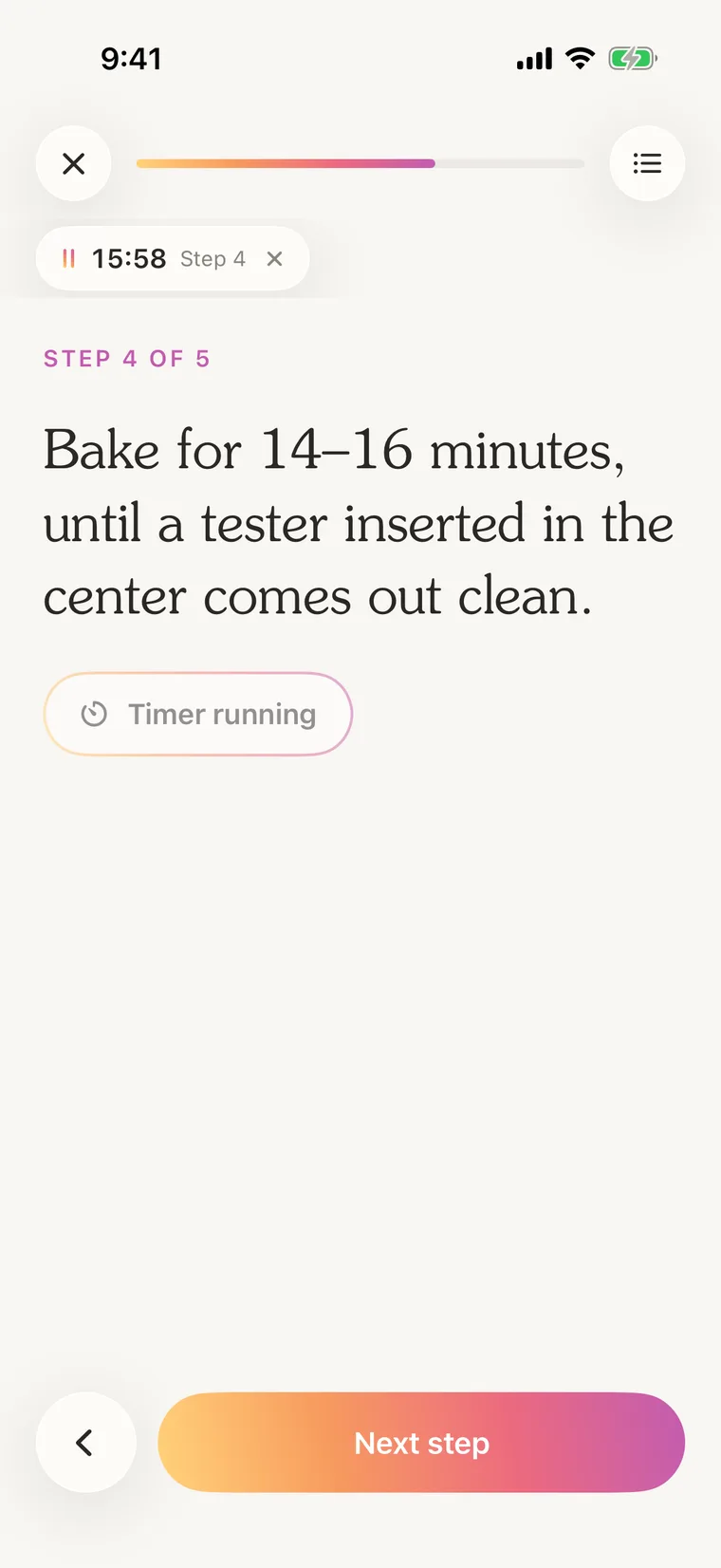
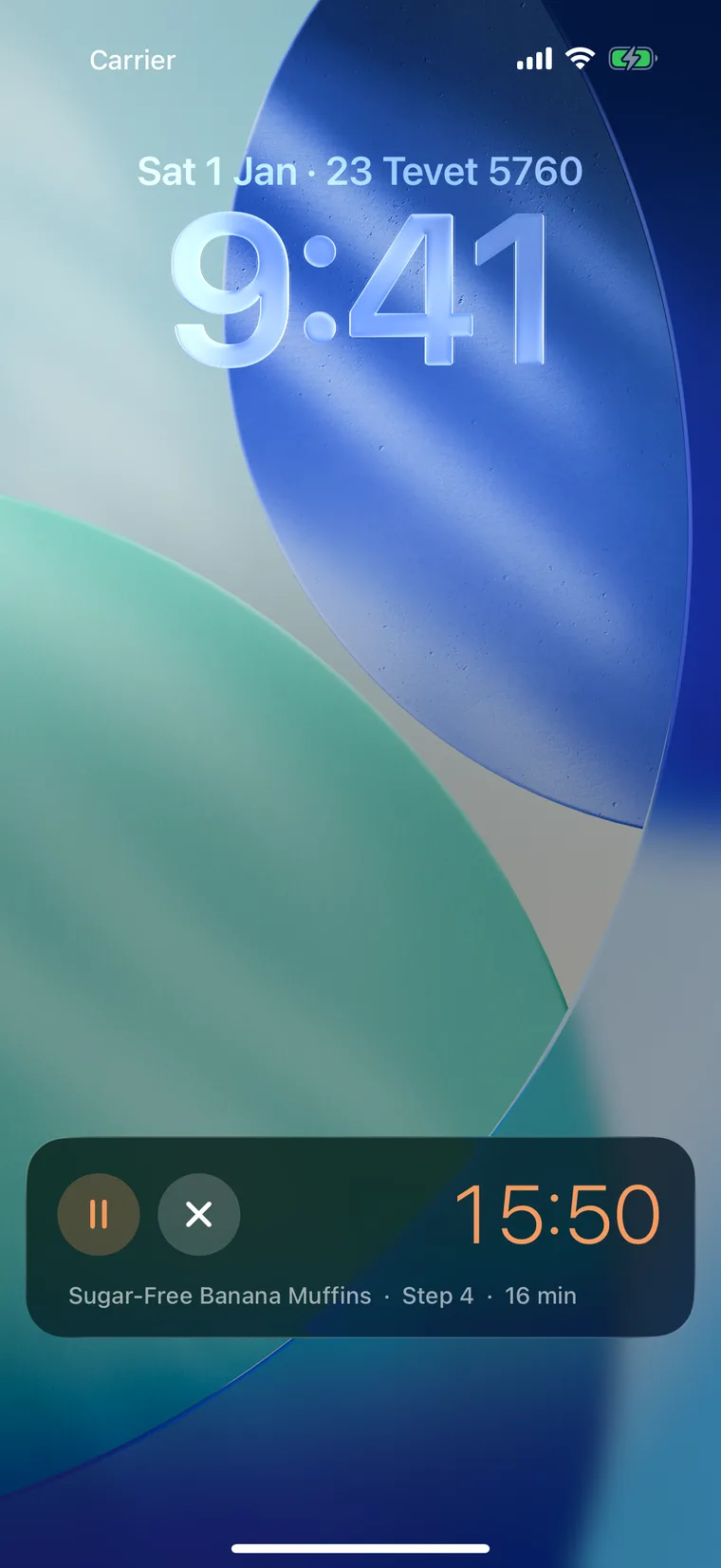
Cook mode shows one step at a time, and the screen doesn’t go to sleep while I cook. If a step says “bake for 15 minutes,” I tap it and a timer starts. The timer keeps going when I leave the app, and I can see it on the Lock Screen and pause or stop it from there.
Mystic cook mode on step 4 of 5 with a 16 minute timer running
Mystic timer as a Live Activity on the iPhone Lock Screen
Cook mode, and the same timer on the Lock Screen

Meal planning

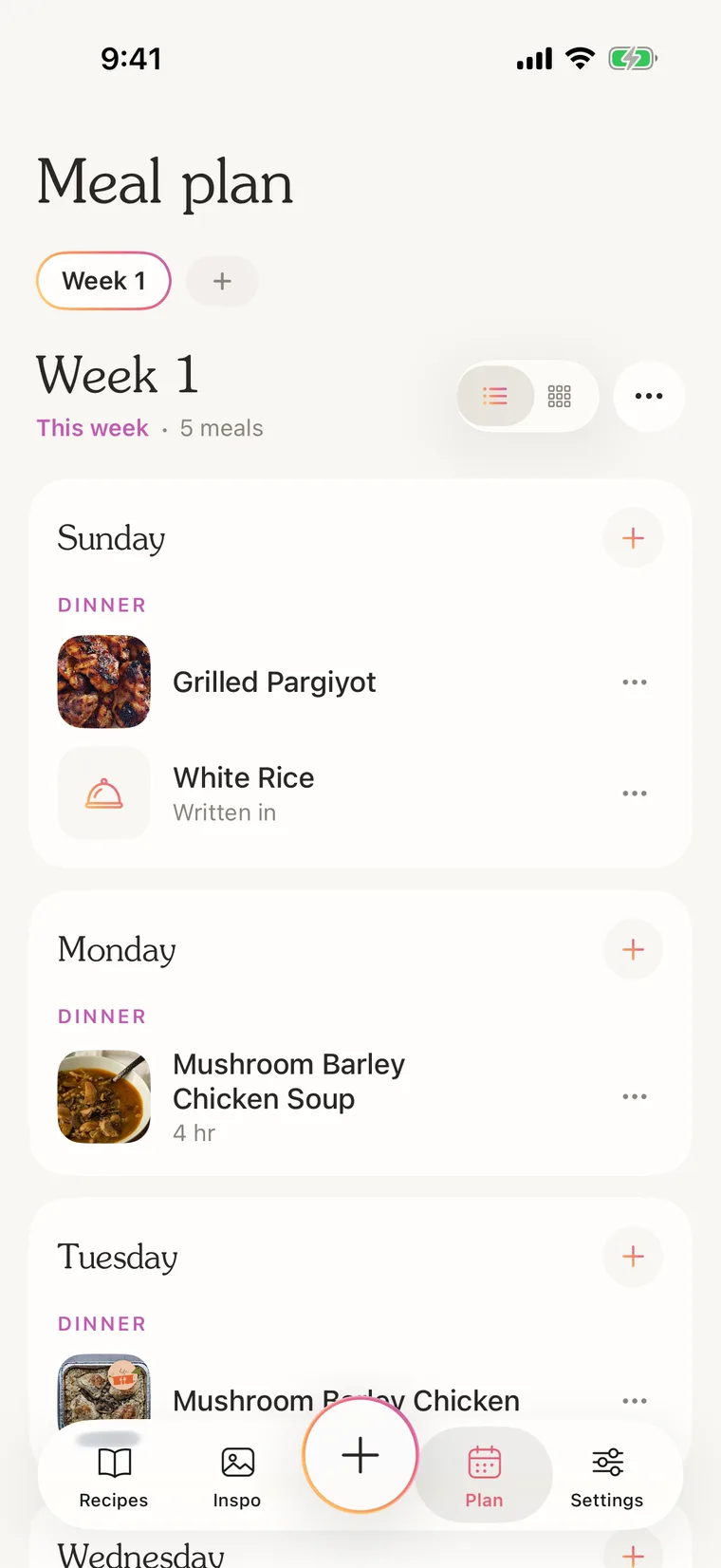
I plan a week at a time, and I can keep a few weeks on rotation. Each night can have a saved recipe, or just something I type in, like “white rice” next to the chicken. There’s a list view and a grid view, and a home screen widget so I can see what’s for dinner without opening the app.
Mystic meal plan: a week of dinners
This week’s dinners, with rice typed in as a side

Why build my own

Recipe apps exist, and I tried a few. They’re built for everyone, so the small things never matched how I save recipes or how I cook. Making my own meant I could get those things right.
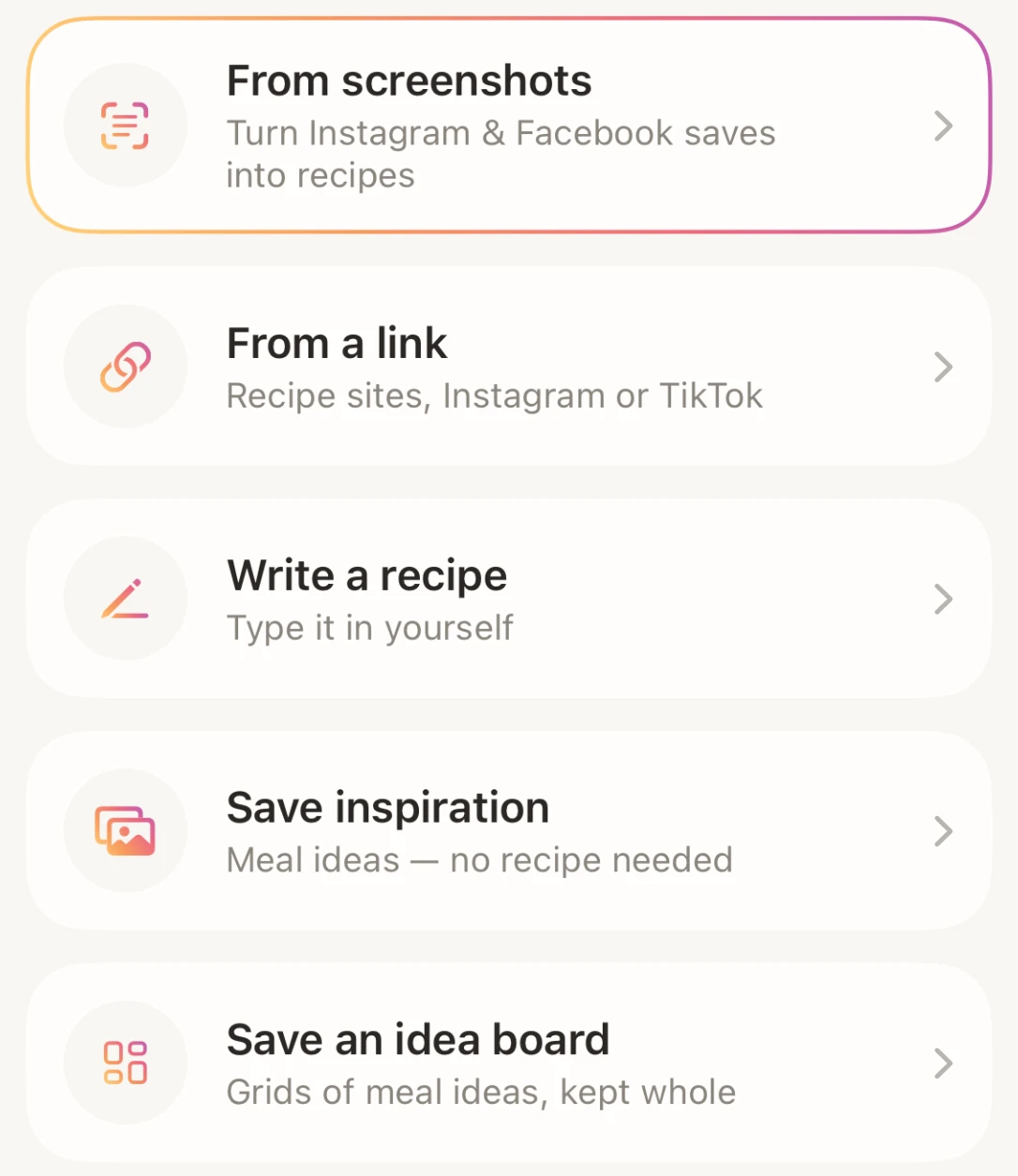
Mystic add sheet: from screenshots, from a link, write a recipe, save inspiration, save an idea board
Upload sourcesScreenshots, links, and idea boards that stay whole.
Recipe page showing only the title, time, servings and ingredients
Simple recipe pagesNo life stories, ratings or nutrition panels.
Ingredients in metric: flour and banana in grams, teaspoons left as written
Configurable metricsFlour turns into grams. Teaspoons stay teaspoons.
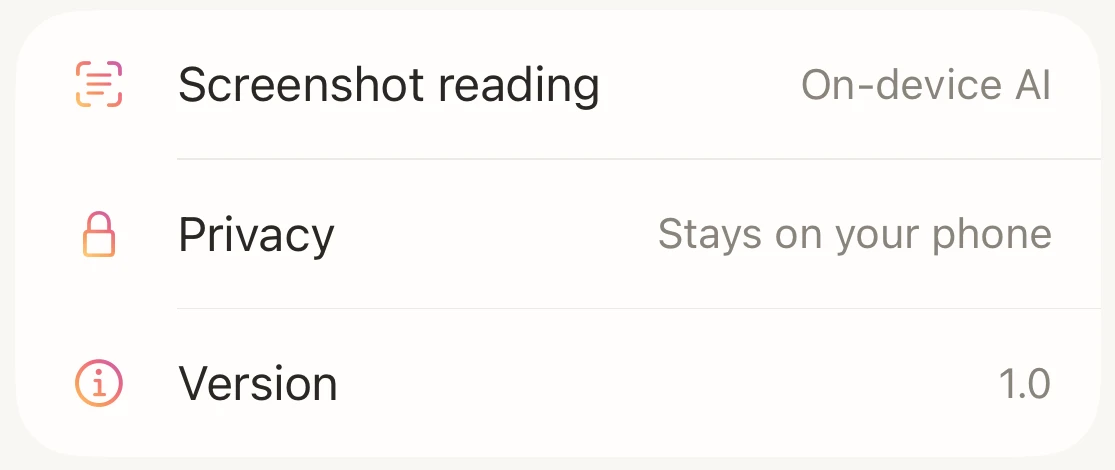
Settings: screenshot reading uses on-device AI, privacy says it stays on your phone
PrivacyNo account, and screenshots are read on the phone.

Appearance

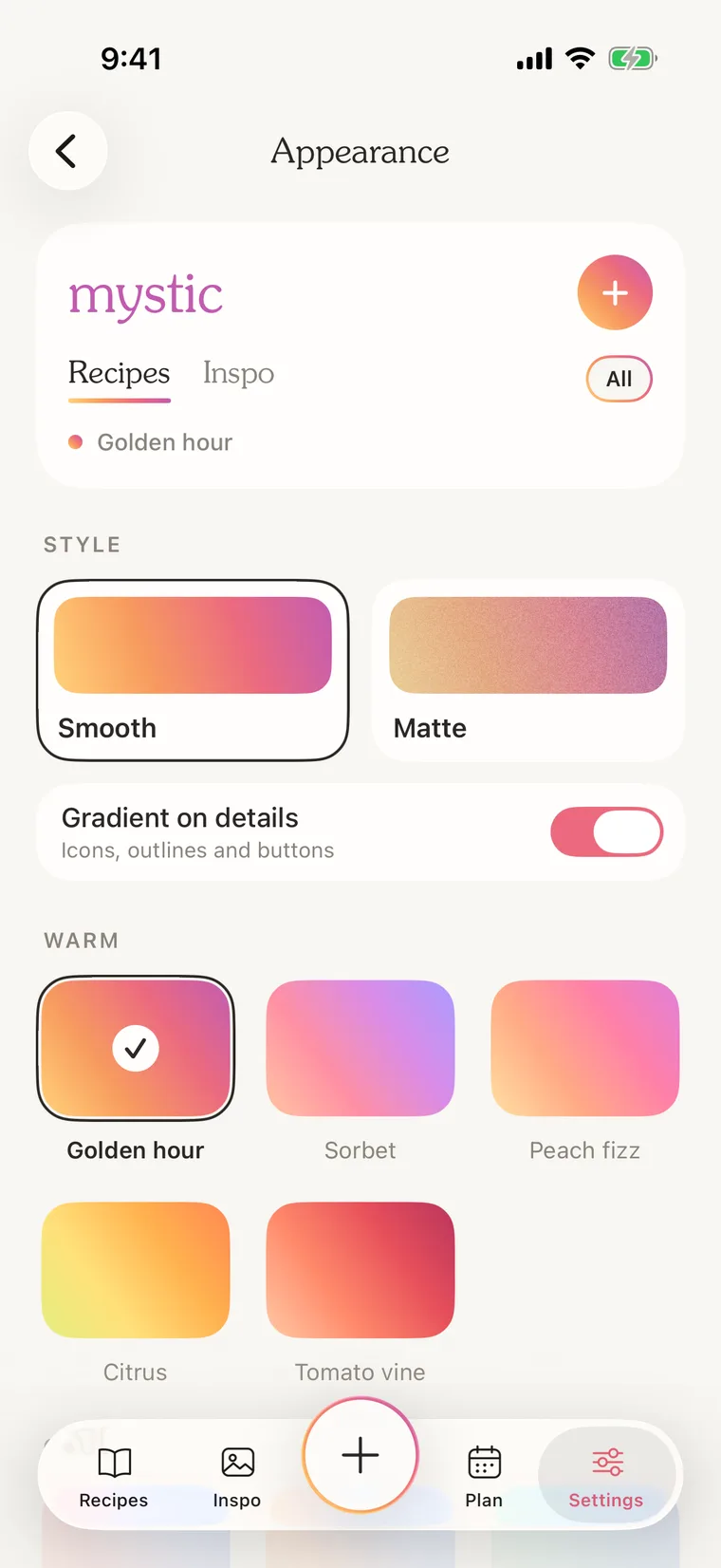
I love customization, and being able to make something feel like yours. That’s why Mystic has 13 gradients, grouped into warm, cool and earthy, plus a choice between a smooth or matte finish. Instagram and Pinterest were both big inspirations here. I like to design things that feel clean and polished, but also warm and personal.
Mystic appearance settings with gradient palettes
Picking a gradient

Design system

I wanted the food photos to be the most colorful thing on the screen, so the app itself stays in warm off-whites and saves all of its color for one gradient. A handful of pieces, like chips, cards and buttons, repeat everywhere so it always feels like one app.

Souvenir has always been one of my all-time favorite fonts, so it was an easy choice for the headings. Paired with the warm gradients, it gives the app a slightly retro, seventies feel, which I love.

01

Color

The page is a warm oat and the cards are white, so the food photos bring the color.
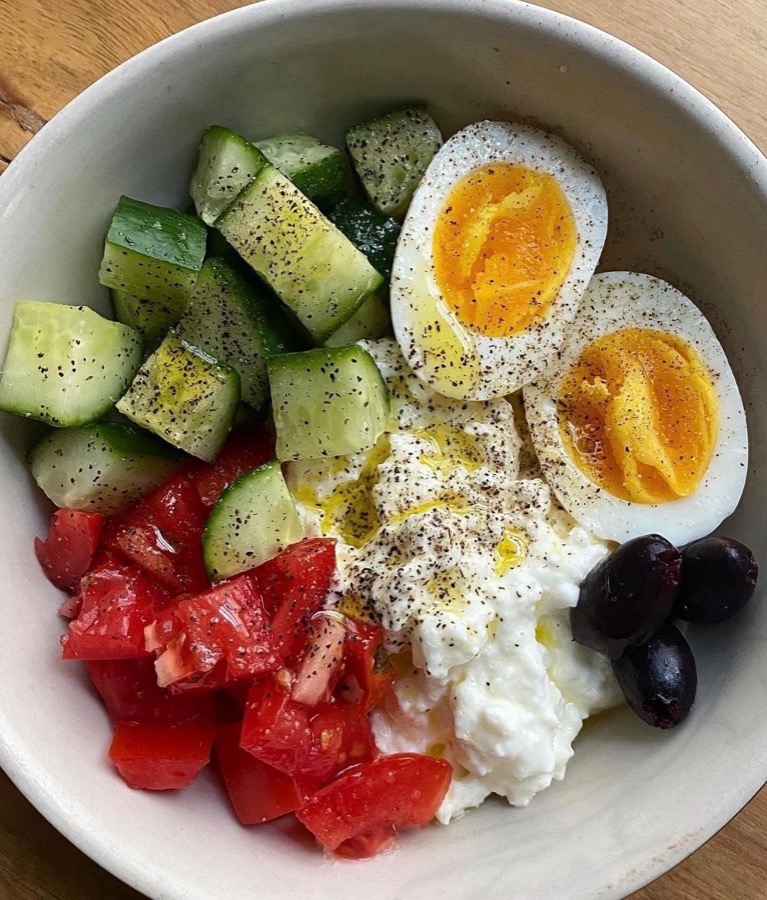
A cottage cheese bowl with cucumber, tomato and egg
Savory Cottage Cheese Bowl
10 min · Breakfast
Oat#F8F6F2Card#FFFEFDSand#EDEAE5Ink#2B2724Muted#8A847C
02

Gradients · Golden hour

Thirteen to choose from, so the app can feel personal. It’s the only color the app itself uses.

#FFD27A
#F79A5E
#EC6A7E
#C25BB0
03

Accents

The gradient comes from Instagram. It shows up on the things you tap, like buttons, icons and the selected chip, while words stay one solid color.

Start cooking
Main buttons
Icons
Dinner
Selected chip
Dinner · 4 hr
Words, in one solid color
04

Finish

Smooth is bright. Matte softens the same colors and adds a little grain, like print.

Smooth
Matte
05

Typography

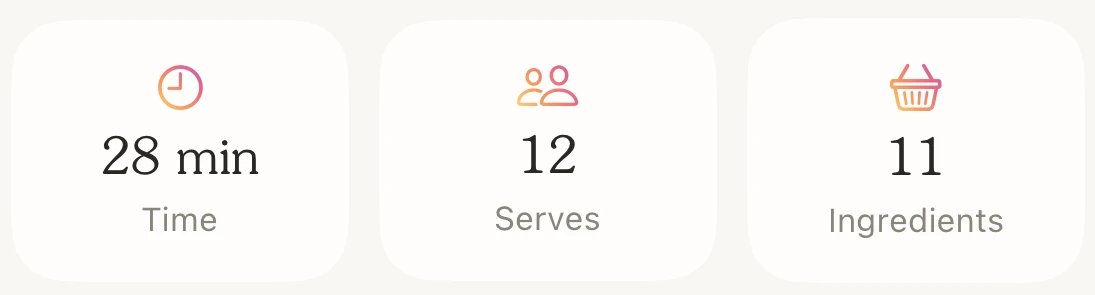
Souvenir for headings and numbers, the way cookbooks print times and servings. The system font for everything else.
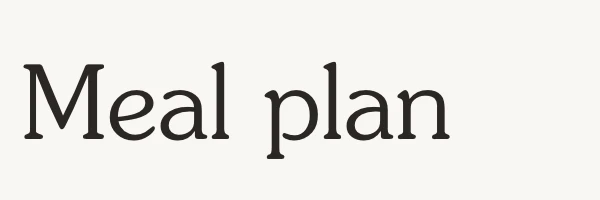

The heading Meal plan set in SouvenirA small-caps category label above a recipe title in Souvenir
Time, servings and ingredient counts with figures in Souvenir
SF Pro · body

Bake for 14–16 minutes, until a tester comes out clean.

06

Icons and chips

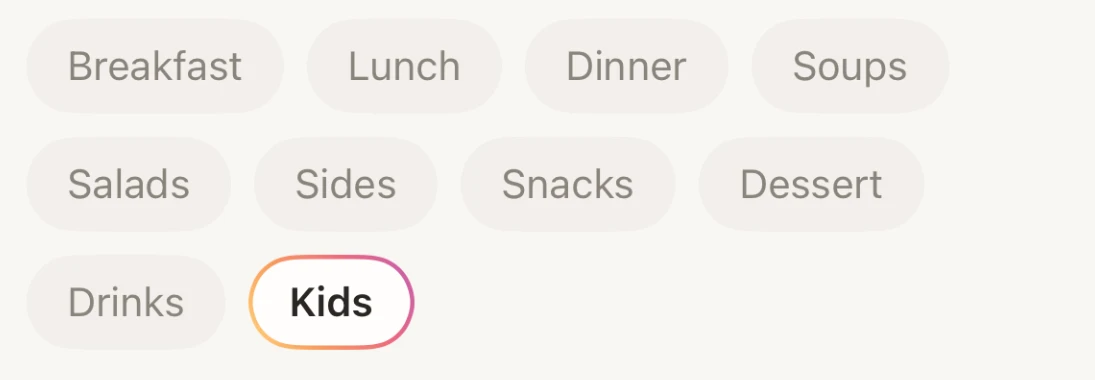
Icons are thin outlines, never filled. Every choice is a chip you tap, never a dropdown menu.
The tab bar: thin outline icons around the gradient ring add button
Recipe filter chips: All, favorites, Breakfast, Lunch, Dinner
Category chips, the selected one outlined in the gradient
07

What’s in a name?

In 2016 I joined Team Mystic in Pokémon Go. The name has nothing to do with recipes. It just reminds me of great memories, searching high and low to catch ’em all.
Mystic app iconThe mystic wordmark in Souvenir
Try it

Hover over & select a gradient to see every screenshot on this page in it.

How it was built

I designed Mystic and built it with Claude Code as a native iPhone app. I’ve been using every version on my own phone, and whenever something didn’t feel right, I changed it. The screenshot reading happens on the phone itself, not on a server.